🚀 Launch Your MVP & Get a Free 5-Page Marketing Website – Limited Time Offer!
Claim Your Free Website

How to Build a SaaS App Without Coding
App Development
Created:
Nov 17, 2025
Updated:
Dec 16, 2025
Learn how to build a SaaS app without coding using no-code tools, streamlining the development process for entrepreneurs and non-developers.
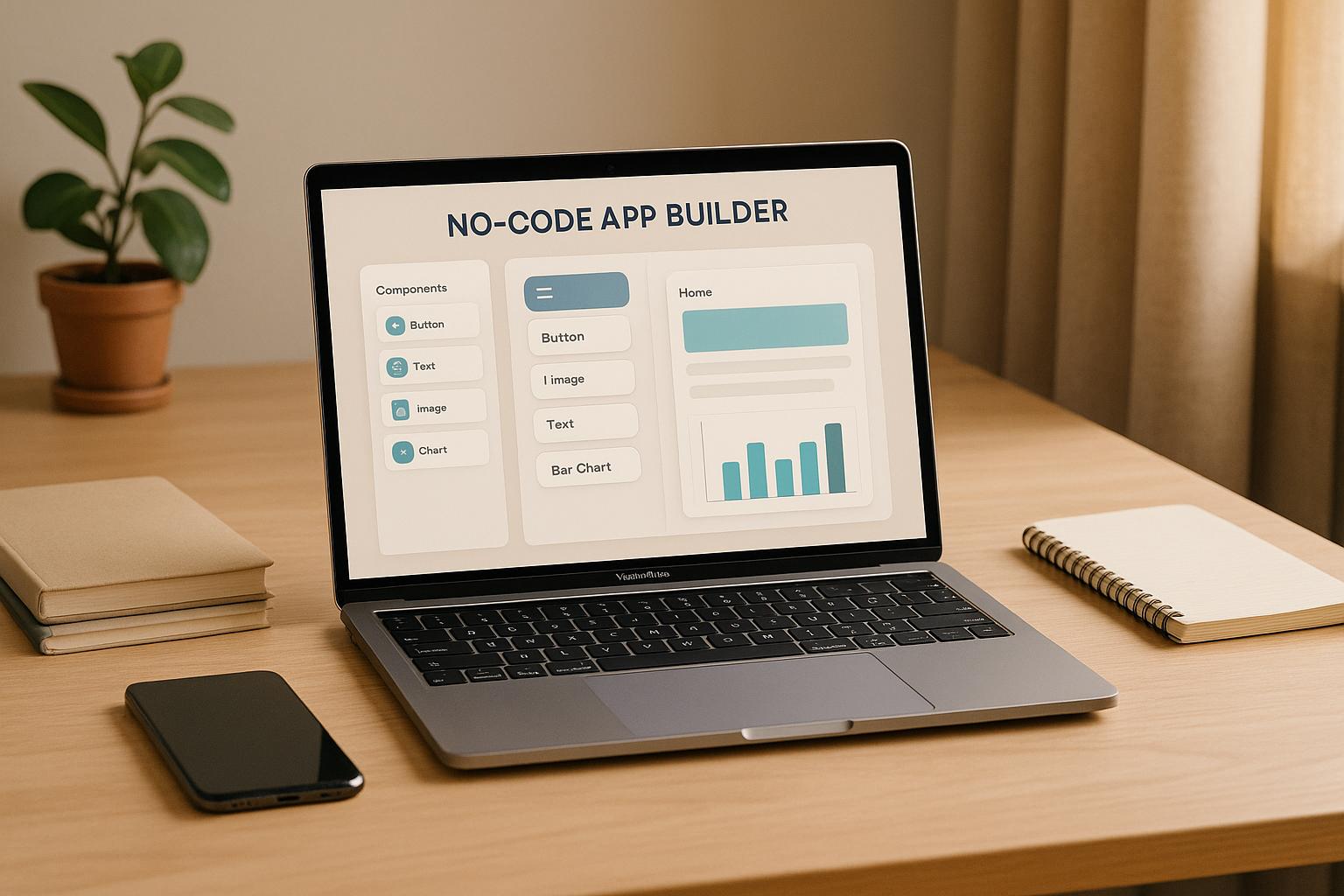
Building a SaaS app no longer requires coding expertise. With no-code tools, you can create fully functional applications using visual interfaces and drag-and-drop components. These tools simplify everything from designing user interfaces to setting up workflows and integrating payment systems, making app development faster and more affordable.
Key Takeaways:
No-code platforms like Bubble, Webflow, and Glide allow non-technical users to build apps without writing code.
Advantages: Lower costs, faster development, easier maintenance, and accessibility for non-developers.
Common uses: MVPs, internal tools, customer-facing apps, prototypes, and automation tools.
Steps to get started:
Define your app's concept and audience.
Map user workflows and design the interface.
Choose a platform based on your needs.
Set up databases and business logic.
Test, launch, and monitor performance.
No-code platforms are transforming software development, making it easier for entrepreneurs to bring their ideas to life without technical barriers. Whether you're building a simple prototype or a scalable SaaS app, these tools offer a practical way to get started.
How to Build a $10K/Month SaaS with No Code & AI
What Are No-Code Platforms for SaaS Development
No-code platforms provide a user-friendly, visual interface that allows you to build applications using drag-and-drop tools and pre-designed components. These platforms take the complexity out of traditional development by enabling business users to create applications without writing a single line of code. With these tools, you can design user interfaces, set up databases, automate workflows, integrate payment systems, and deploy your app - all while the platform handles the technical infrastructure behind the scenes. This means you can focus entirely on your app's functionality and user experience.
The magic lies in how these platforms work. When you drag elements like buttons onto a page or configure a database field, the platform automatically generates the underlying code - HTML, CSS, JavaScript, and backend logic. This process eliminates the barriers of traditional coding, empowering non-technical users to bring their software ideas to life. It's a game-changer for democratizing software development, setting the stage for the benefits we'll explore next.
Main Benefits of No-Code Development
Speed is a standout advantage. No-code tools can shrink development timelines from months to just weeks - or even days. This allows you to test ideas and respond to market changes faster than ever.
Cost savings are another major perk, especially for startups and small businesses. By removing the need for expensive developers or technical co-founders, these platforms can significantly lower your development expenses. In fact, studies reveal that 84% of companies now use low-code or no-code tools to compensate for the shortage of skilled developers.
Accessibility is reshaping who can build software. According to Gartner, 80% of technology products will be created outside traditional IT departments by 2024. This means marketers, consultants, business owners, and other non-technical professionals can now transform their ideas into functional software without relying on specialized teams.
Reduced technical debt is another bonus. No-code platforms produce clean, consistent code that adheres to best practices. This results in fewer bugs, stronger security, and easier maintenance.
Ease of learning makes these platforms incredibly approachable. Unlike traditional programming, which can take years to master, most no-code tools can be learned in a matter of days or weeks, letting you start building quickly.
Common Uses for No-Code SaaS Apps
No-code tools are versatile, making them ideal for a variety of applications:
Minimum Viable Products (MVPs): Startups can quickly validate ideas and test market fit without significant investment. Launching an MVP in weeks instead of months can be the difference between seizing or missing an opportunity.
Internal business tools: Companies often need tailored solutions for unique operational challenges. No-code platforms allow businesses to create custom CRMs, project management tools, inventory systems, and more.
Customer-facing applications: From booking systems to e-commerce platforms, businesses can build sophisticated apps that handle real transactions and serve thousands of users.
Prototypes and proof-of-concepts: Entrepreneurs can use no-code tools to create working prototypes that impress investors, partners, or customers far more effectively than static presentations or wireframes.
Data collection and automation tools: These apps help streamline operations by connecting systems, processing data, and automating repetitive tasks.
How to Start with No-Code Tools
If you're ready to dive into no-code development, here are some essential steps to get started:
Define your core concept: Clearly identify the problem your app will solve, your target audience, and the key features it needs. This clarity will guide every decision during development.
Map out user workflows: Sketch how users will interact with your app, from signing up to completing their goals. This helps you pinpoint the pages, forms, and features you'll need to build.
Choose the right platform: Research platforms based on your needs, budget, and technical comfort level. Many offer free trials, so you can explore their capabilities before committing.
Start simple: Focus on building core features that provide immediate value. You can always add more complexity later based on user feedback.
Plan your data structure: Think about what data your app will store, how it will interact, and what analytics you'll need. A solid database structure from the start will save headaches down the line.
The shift toward no-code development is accelerating. Gartner predicts that 70% of new applications will incorporate low-code or no-code technologies by 2025, up from less than 25% in 2020. This isn't just a trend - it's becoming the new standard for building software.
How to Pick the Right No-Code Platform for Your SaaS App
When you're aiming to launch a scalable, investor-ready SaaS app quickly, choosing the right no-code platform is a crucial step. The platform you select will directly impact your app's features, scalability, and overall success. So, it's worth taking the time to evaluate your options carefully.
Here are some key factors to weigh: your technical expertise, the complexity of your app, your budget, and your long-term growth goals. If you're working solo, platforms with thorough documentation and active community support can be a lifesaver. For teams, prioritize tools that offer collaboration features and version control. Also, be mindful of the learning curve - some platforms are intuitive and can be picked up in just a few days, while others may require weeks of practice.
Top No-Code Platforms Overview
Bubble is the go-to platform for building complex SaaS applications. It offers robust database capabilities, advanced workflow automation, and can handle thousands of users. It's ideal if your app requires intricate business logic, user authentication, or complex data relationships.
Webflow is perfect for apps that prioritize design and content management. It gives you unmatched control over your app's visual elements and generates clean, fast-loading websites. If you're creating something like a portfolio platform or a content-heavy SaaS tool, Webflow is a strong choice.
Glide is the fastest option for getting a mobile-first app off the ground. By turning Google Sheets into functional apps in minutes, Glide is a great fit for simple SaaS tools like inventory systems or basic CRMs.
Each of these platforms excels in its own niche: Bubble for complexity, Webflow for stunning design, and Glide for speed and simplicity. Here's a quick comparison to help you decide:
Platform Comparison Table
Platform | Best For | Pricing | Learning Curve | Scalability |
|---|---|---|---|---|
Bubble | Complex SaaS apps with advanced workflows | Free plan; paid plans from $25/month | Steep (2-4 weeks) | High - handles enterprise-level apps |
Webflow | Design-focused apps and content management | Free plan; paid plans from $12/month | Moderate (1-2 weeks) | Medium - great for content-heavy apps |
Glide | Simple mobile apps and quick prototypes | Free plan; paid plans from $25/month | Easy (1-3 days) | Low - best for straightforward apps |
918 Studio | Custom AI-powered SaaS development | Custom quotes | Minimal - handled by experts | High - enterprise-ready solutions |
How 918 Studio Makes SaaS Development Easier
For those who want a more hands-off approach, 918 Studio offers an expert-led solution that combines AI-powered development with professional guidance. Instead of learning how to use no-code platforms yourself, 918 Studio handles the entire development process for you, delivering investor-ready SaaS apps.
With their MVP Development service, you can have a market-ready product in just 45 days. This includes everything from refining your concept to deploying the final product, all while ensuring scalability from the start. Their AI-powered approach integrates advanced automation and intelligent features into your app, so you don't need to dive into the technical details.
What makes 918 Studio stand out is their focus on creating investor-ready products. They understand the importance of scalability, security, and a polished user experience when it comes to attracting funding or enterprise clients. These elements are baked into their process from the beginning, not treated as afterthoughts.
Additionally, 918 Studio offers ongoing support, ensuring your app evolves as your user base grows. Whether it's adding new features or scaling up, their team takes care of the technical work so you can focus on growing your business. For entrepreneurs who want a professional, scalable app without the steep learning curve of no-code platforms, 918 Studio provides a streamlined, worry-free solution.
Step-by-Step Guide to Building a No-Code SaaS App
Creating a SaaS app without writing any code might sound intimidating, but breaking it down into clear, actionable steps can make the process feel much more manageable.
Define Your SaaS Concept
Start by clearly identifying the problem your app will solve and who your target audience is. This clarity will guide every decision you make, from the platform you choose to the features you prioritize.
Write a concise problem statement. For example: "Small restaurant owners struggle to manage inventory efficiently, leading to food waste and lost profits." This simple sentence keeps you focused and prevents you from adding unnecessary features.
Next, develop detailed user profiles. These should include specifics like job titles, common challenges, comfort with technology, and budget considerations. With these profiles in hand, outline your app's minimum viable product (MVP) - the core features required to solve the primary problem. Keep it simple; most successful SaaS apps launch with just a few key features and grow based on user feedback.
Finally, decide on a revenue model. Whether it's a subscription plan, pay-per-use, or something else, your choice will influence how you set up accounts and payment systems.
Once your concept is solid and your MVP is defined, you’re ready to design how users will interact with your app.
Design the User Interface and Workflows
Plan out how users will navigate your app, starting with their first interaction and leading them to their "aha moment" - the point where they see the value your app provides.
Don’t reinvent the wheel. Use pre-built templates that align with your app's purpose, then customize them to fit your needs. These templates save time and ensure your design starts on solid ground. Focus on intuitive navigation by sticking to familiar web conventions. Users should always know where to click next and how to navigate back.
Your onboarding process is crucial. Break it into smaller steps with clear progress indicators, ensuring each step delivers value or brings users closer to it. A well-thought-out onboarding flow can make the difference between retaining new users and losing them.
Before diving into development, test your designs with real users. Use mockups or wireframes to gather feedback on usability. This step can help you catch issues early, saving time and effort later.
Set Up Databases and Business Logic
With your design in place, it’s time to build the foundation of your app - its database and business logic. This is where your app stores and processes data.
Start by mapping out relationships between different types of data. For instance, in a project management app, you might define entities like Users, Projects, Tasks, and Comments. Sketching these relationships beforehand can help you avoid database headaches down the line.
Most no-code platforms offer visual database builders, making it easier to set up your data structure. Define "Data Types" (e.g., User, Task) and their specific "Fields" (e.g., Name, Deadline, Description). Choose field types carefully - use "Date" for deadlines, "Number" for quantities, and "Text" for descriptions.
Set up user permissions and privacy rules to protect sensitive information. For example, ensure users can only access data relevant to their roles. This step is especially important for maintaining data security and meeting compliance standards.
Next, build your app’s workflows using the platform’s visual logic tools. These workflows handle key processes like user registration, password resets, notifications, and payments. Start with the basics, such as user signup and the app's primary function, then expand as needed.
Finally, enforce data validation rules to ensure accuracy. For example, require valid email formats for registrations or use dropdown menus instead of free-text fields to minimize errors.
Test, Launch, and Monitor
Once your app is built, shift your focus to testing and monitoring to ensure everything works as intended.
Begin with internal testing (alpha testing) to catch obvious bugs and usability issues. Then move to beta testing with a small group of potential users. Offering free access in exchange for feedback can provide valuable insights into where users struggle, what features they find most useful, and what might be missing.
Before a full launch, set up analytics tools like Google Analytics 4 to track key metrics such as user registrations, feature usage, and where users drop off during onboarding. This data will help you make informed improvements after launch.
Consider a soft launch to a limited audience - such as your email subscribers or social media followers. This approach allows you to address any lingering issues before reaching a wider audience.
After your app goes live, keep a close eye on its performance. Monitor loading times, error rates, and user-reported issues. Many no-code platforms include built-in monitoring tools, but external options can offer deeper insights into user behavior.
Finally, make it easy for users to provide feedback. Whether through an in-app widget or periodic surveys, listening to your users will help you refine your app and build trust over time. Their input is essential for shaping your app’s future updates and improvements.
Key Requirements for US-Based SaaS Apps
If you're building a SaaS app for the US market, it's essential to align with American standards, including payment methods, legal regulations, and user expectations. Using no-code tools can help you adjust quickly to these requirements and ensure your app resonates with US users while remaining compliant with local laws.
Currency and Payment Integration
US users expect prices to be displayed in US Dollars ($), with the currency symbol placed before the amount. For example, prices should look like $29.99 or $1,234.56, not the formats used in other regions. Configuring your app to follow this convention is a must.
Integrating a reliable payment gateway is another critical step. No-code platforms like Bubble make it easy to connect with popular payment processors like Stripe, which is widely used for US transactions. However, keep in mind that these integrations may come with fees. Additionally, tools like Retool can simplify the process by offering built-in options for formatting currency in USD, saving you time and ensuring consistency across your app.
Date, Time, and Number Formatting
In the US, dates follow the MM/DD/YYYY format. For instance, April 7, 2024, should be displayed as 04/07/2024, not the formats used elsewhere. This detail is especially important in business apps, where misinterpreted dates can lead to serious errors.
Most no-code platforms allow you to set regional preferences to automatically format dates, times, and numbers according to US standards. Make sure to configure these settings to maintain consistency throughout your app.
Format Type | US Convention | Example |
|---|---|---|
Date | MM/DD/YYYY | 04/07/2024 |
Currency | $X,XXX.XX | $1,234.56 |
Numbers | X,XXX.XX | 1,234.56 |
For time, the US uses a 12-hour clock with AM/PM indicators. For example, display times as 2:30 PM instead of 14:30, as the latter might confuse users. Similarly, numbers should use commas for thousand separators and periods for decimal points. For instance, write 1,000,000 instead of 1.000.000 to ensure clarity and professionalism.
Legal and Accessibility Requirements
Meeting US legal standards is non-negotiable for SaaS apps. For instance, the California Consumer Privacy Act (CCPA) requires businesses to safeguard consumer data and provide transparency about data usage.
From the start, implement strong security measures like encryption, multi-factor authentication, and strict access controls. These steps are crucial for handling sensitive user data, including personal and financial information.
Additionally, compliance with the Americans with Disabilities Act (ADA) is essential. This law mandates that digital platforms be accessible to users with disabilities. To meet these requirements, ensure your app includes features like proper color contrast, keyboard navigation, and compatibility with screen readers. While many no-code platforms offer built-in accessibility tools, it's vital to configure them correctly and test with actual users to ensure usability.
Finally, prioritize ongoing security maintenance. Regularly scan for vulnerabilities, apply software updates, and back up data to protect against potential threats. These practices not only help you stay compliant but also build trust with your users.
Conclusion: Build Your SaaS App with No-Code Tools
Creating a SaaS app without writing a single line of code is not only possible but also becoming a go-to solution for many entrepreneurs. With no-code tools, you can develop functional SaaS applications without years of programming knowledge or the high cost of hiring a development team.
The perks are hard to ignore: faster launches, lower costs, and the ability to adapt quickly based on what your users actually want. You can roll out your MVP (Minimum Viable Product) in record time and at a fraction of the expense of traditional development methods.
For entrepreneurs in the U.S., the advantages are even more pronounced. Meeting U.S. market expectations right from the start helps establish trust and credibility, which are key to attracting both customers and investors.
If you're looking for a more guided approach, 918 Studio offers a seamless solution. Their team specializes in AI-powered no-code development, delivering investor-ready MVPs in just 45 days. They eliminate the traditional coding obstacles, creating scalable SaaS platforms tailored to your needs.
The formula for success is straightforward: start with a solid idea, pick the no-code platform that aligns with your goals, and prioritize user experience from the outset. Your first version should address a real problem, and no-code tools give you the flexibility to refine and improve your app based on real-world feedback.
Whether you’re new to entrepreneurship or an experienced business owner branching into digital products, no-code development makes turning your SaaS idea into a reality easier than ever. The tools are ready, the community is supportive, and the opportunities are wide open. Use no-code tools to bring your vision to life and take the first step toward success.
FAQs
What challenges might arise when creating a SaaS app with no-code tools, and how can they be addressed?
Building a SaaS app using no-code tools can save time and resources, but it’s not without its hurdles. One of the main challenges is limited customization. No-code platforms are designed to cater to a broad audience, which means they might not support highly specific features or unique design elements you want to include.
Another issue is scalability. As your app attracts more users or requires handling complex data, the platform’s infrastructure might struggle to keep up. Then there’s vendor lock-in - if your app becomes deeply tied to a particular no-code platform, switching to another service can be a major headache. Lastly, security and compliance can pose risks since you’re relying on the platform provider to meet essential data protection and regulatory standards.
To navigate these challenges, start by defining your app’s requirements and selecting a no-code platform that aligns with your goals. For scalability, research the platform’s capacity to grow with your app. To reduce vendor lock-in risks, ensure you can access and export your app’s data if needed. And when it comes to security, choose platforms that emphasize strong safeguards and hold recognized compliance certifications to protect user information.
How can I make sure my no-code SaaS app complies with legal and accessibility requirements in the US?
To make sure your no-code SaaS app complies with legal and accessibility standards in the US, you’ll need to get familiar with key regulations like the Americans with Disabilities Act (ADA) and Section 508 of the Rehabilitation Act. These laws are in place to ensure digital products are accessible to individuals with disabilities. This means incorporating features like screen reader support, proper color contrast, and keyboard-friendly navigation.
On top of that, you’ll need to address privacy regulations such as the California Consumer Privacy Act (CCPA), which outlines rules for collecting, storing, and sharing user data. Make sure to provide a transparent privacy policy and, when necessary, obtain user consent before collecting data.
Fortunately, many no-code platforms come equipped with tools or plugins designed to help you meet these standards. Still, it’s wise to consult with a legal expert or an accessibility specialist to ensure your app is fully compliant and to avoid any legal troubles down the road.
Can no-code platforms handle the growth and complexity of a large SaaS application?
No-code platforms have the potential to handle scalable and intricate SaaS applications, but their effectiveness often hinges on the provider's capabilities. Key factors such as database capacity, API limitations, and the ability to manage a high number of simultaneous users play a significant role in determining scalability.
For projects on a larger scale, it's crucial to assess whether the platform’s features meet your future requirements. Many no-code tools provide options to expand resources or connect with external systems, offering flexibility for businesses aiming to grow.
Related Blog Posts

Contact us
913-214-2703